Novel Engine
A downloadable WritingIDE for Windows, macOS, and Linux
Novel Engine
A Desktop Publishing Studio for Novels
Novel Engine is a desktop app that pairs you with a full editorial team — a story coach, ghostwriter, first reader, developmental editor, task master, copy editor, and publisher — all running locally on your machine.
Your manuscript stays on your laptop. Your copyright stays yours.
⬇ Download for macOS · ⬇ Download for Windows · ⬇ Download for Linux
Books built with Novel Engine
The Last Compiler · The Lien · Cleartext · Project Sephirot · The Recursive Archivist · Day One · Reset · The Empty Orbit · The Keeper's Frequency · Junk Souls
I asked Claude and ChatGPT to audit ten books made in the MVP and this product with extended thinking on — here are the results
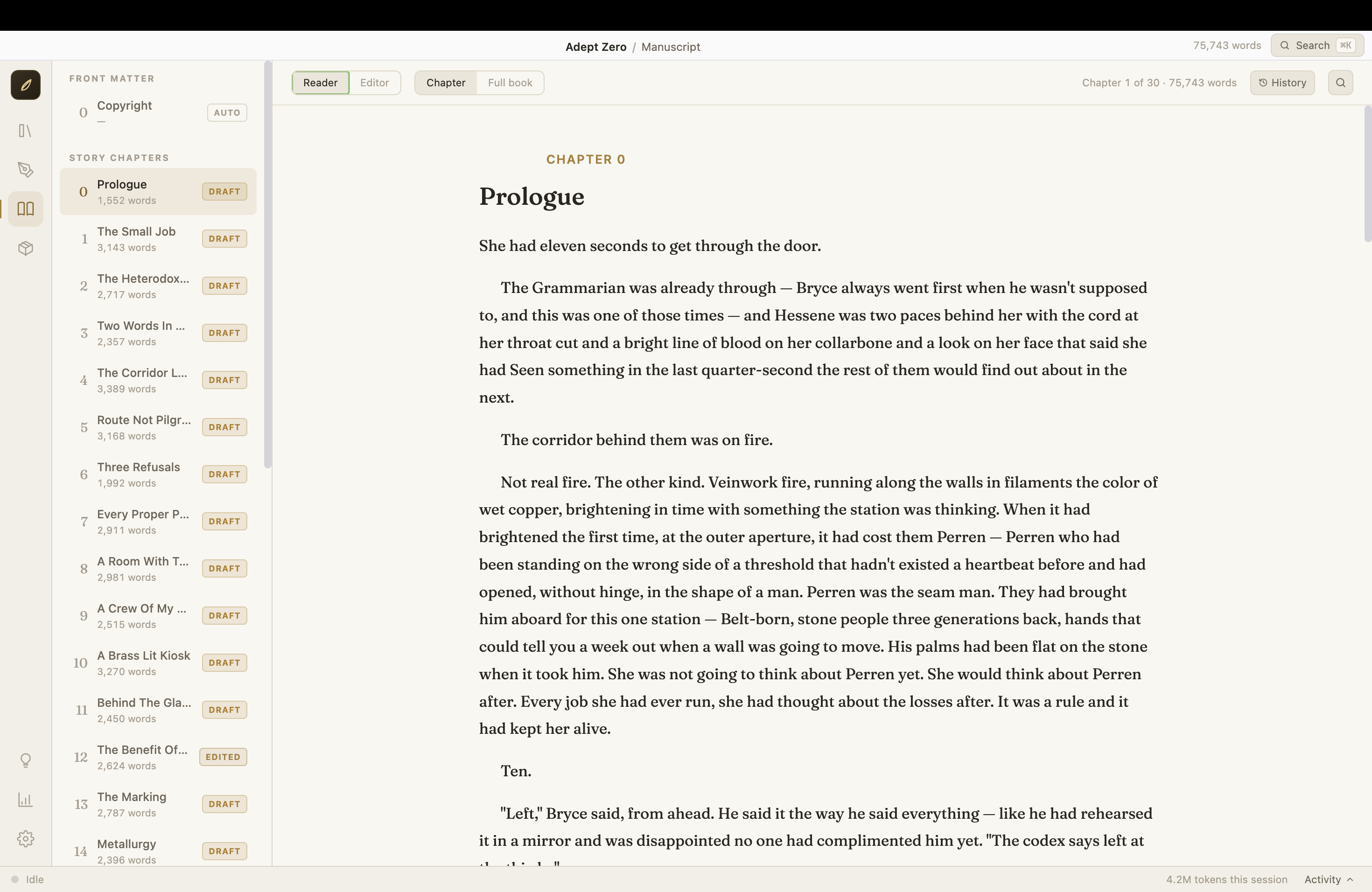
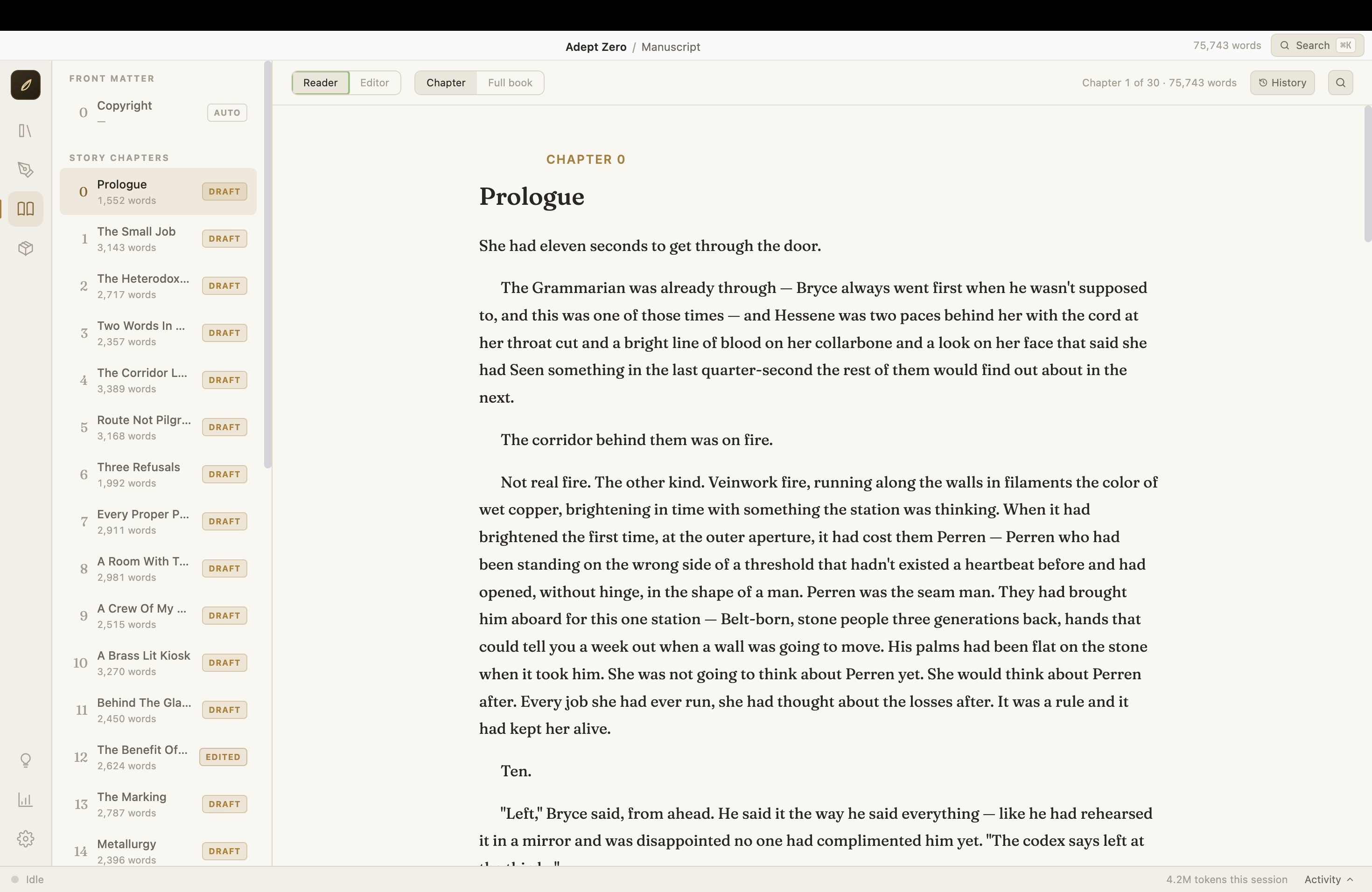
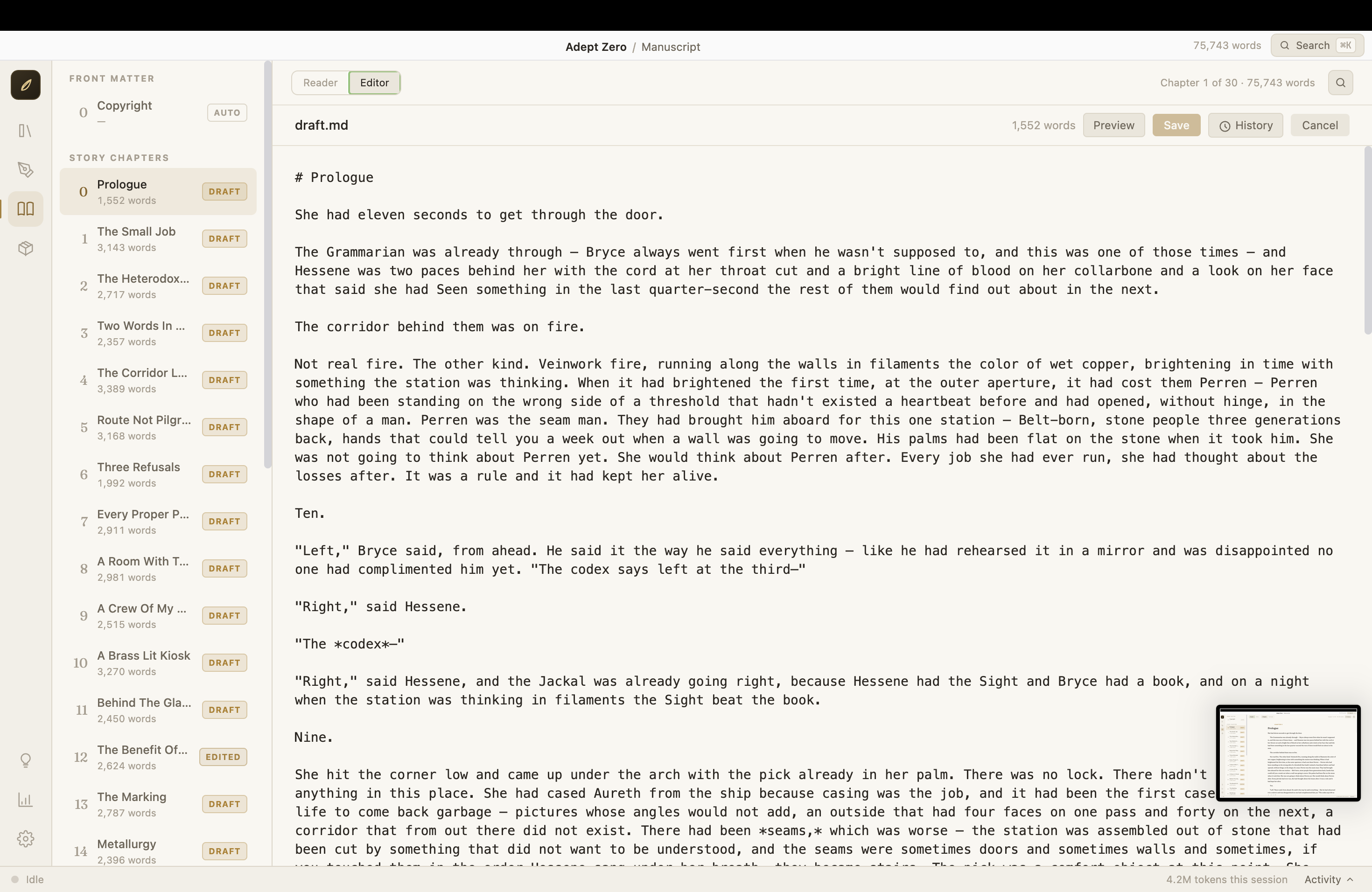
The Manuscript view — your chapters on the left, your prose on the page. Read it like a book, or open the editor and write in it yourself.
- Pitch to Published — A 14-step pipeline takes your idea from a rough pitch to an export-ready manuscript (DOCX/EPUB) you can upload to KDP or send to an editor.
- Your Voice, Protected — An interview with Verity, the ghostwriter, captures your prose style in a Voice Profile. Every draft sounds like you — and you can edit any chapter by hand, with your changes tracked and respected.
- Privacy-First — Runs on the AI you choose: your Claude account, or free local models via Ollama. There is no Novel Engine cloud. Your drafts never leave your machine except to the AI service you connect.
Your Words Are Yours
Your content is yours. Novel Engine is AGPL-licensed open-source software, but the license applies to the application code only. Manuscripts, pitches, outlines, story bibles, and exported books you create with it are your exclusive property and are not covered by the AGPL. Nothing about using Novel Engine open-sources, licenses, or encumbers your writing in any way. Publish on Amazon, sell the film rights, keep it in a drawer — it's yours.
Getting Started (from an installer)
1. Download and install
Grab the installer for your platform from the Releases page.
macOS (.dmg) — The macOS app is currently not signed or notarized by Apple (no Apple Developer account yet). The first time you open it, macOS will warn you and refuse to open it the normal way. This is expected. To open it:
- Drag Novel Engine to Applications
- Right-click (or Control-click) the app → Open → Open
- If macOS still blocks it: open System Settings → Privacy & Security, scroll down, and click "Open Anyway" next to the Novel Engine message
You only have to do this once.
Windows (installer .exe) — Windows SmartScreen may show "Windows protected your PC." Click More info → Run anyway. (Same reason: the installer isn't code-signed yet.)
Linux (.deb) — install with your package manager, e.g. sudo dpkg -i Novel-Engine-*.deb
2. Connect an AI
Novel Engine doesn't ship with an AI inside — it drives one you connect. You need one of these:
| Option | Cost | Setup |
|---|---|---|
| Claude (recommended — best prose) | Claude subscription | Install Node.js (big green button), then open Terminal and run:npm install -g @anthropic-ai/claude-code and claude login |
| Ollama (free, 100% local & private) | Free | Install Ollama (normal app installer), then in Terminal: ollama pull a model of your choice |
| Codex CLI | OpenAI account | If it's installed, Novel Engine finds it automatically |
That Terminal step is the most technical thing you'll ever have to do — the app handles everything else. (More backends — llama-server and any OpenAI-compatible endpoint — are covered in the technical guide.)
3. First launch
The Onboarding Wizard takes it from there:
- Welcome — what you're looking at
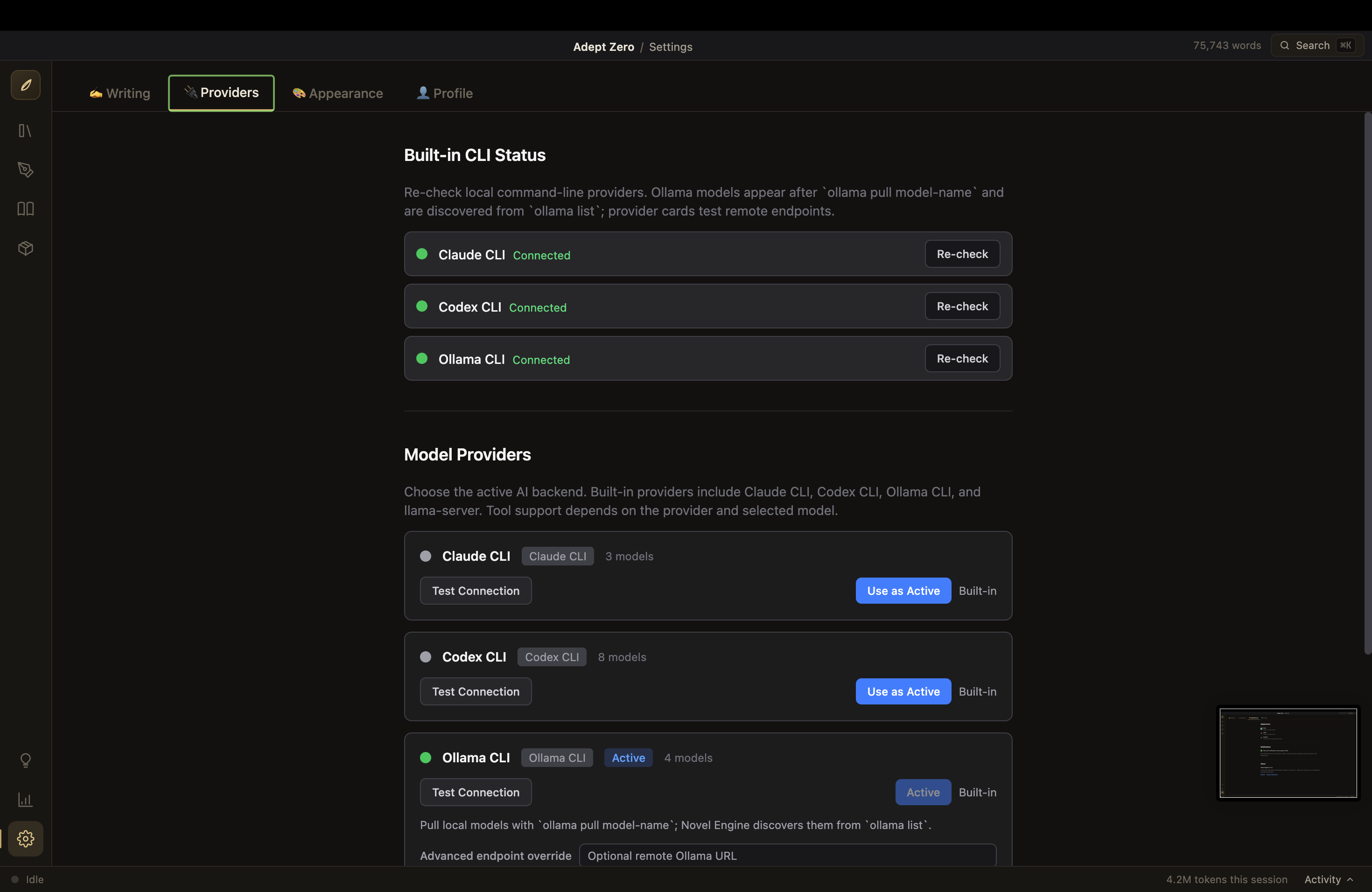
- Provider Setup — the app checks for Claude / Codex / Ollama and tells you what it found
- Model Selection — pick the AI model to write with (you can change it anytime in Settings)
- Author Profile — a short "who you are as a writer" note the agents read (or skip it)
- Ready — name your first book and go
A guided tour starts automatically, and a floating Help assistant (bottom of the icon rail) can answer "how do I…" questions at any time.
Getting Started (from source)
If you'd rather run it from code — this is the whole thing:
git clone https://github.com/john-paul-ruf/novel-engine.git
cd novel-engine
npm install
npm run download-pandoc   # optional — enables DOCX/EPUB export
npm start
You'll need Node.js 18+ installed first. Full build and packaging instructions are in the technical guide.
Meet Your Editorial Team
| Agent | Role | What they do for you |
|---|---|---|
| Spark | Story Coach | Talks through your idea, then writes the pitch — premise, themes, characters, hook |
| Verity | Ghostwriter | The only agent that writes prose. Learns your voice from an interview, drafts every chapter in it, and implements revisions |
| Ghostlight | First Reader | Reads your manuscript cold — no notes, no context — and tells you what a real reader would feel |
| Lumen | Developmental Editor | Deep structural assessment: character arcs, pacing, scene necessity, theme, narrative logic |
| Forge | Task Master | Turns all the feedback into a prioritized, step-by-step revision plan |
| Sable | Copy Editor | Grammar, consistency, and mechanical polish, with an audit report and style sheet |
| Quill | Publisher | Final audit plus publication metadata — title, description, keywords, categories, back-cover copy |
Every agent's instructions are a plain text file on your computer that you can read and edit — no black boxes.
From Pitch to Published: the Pipeline
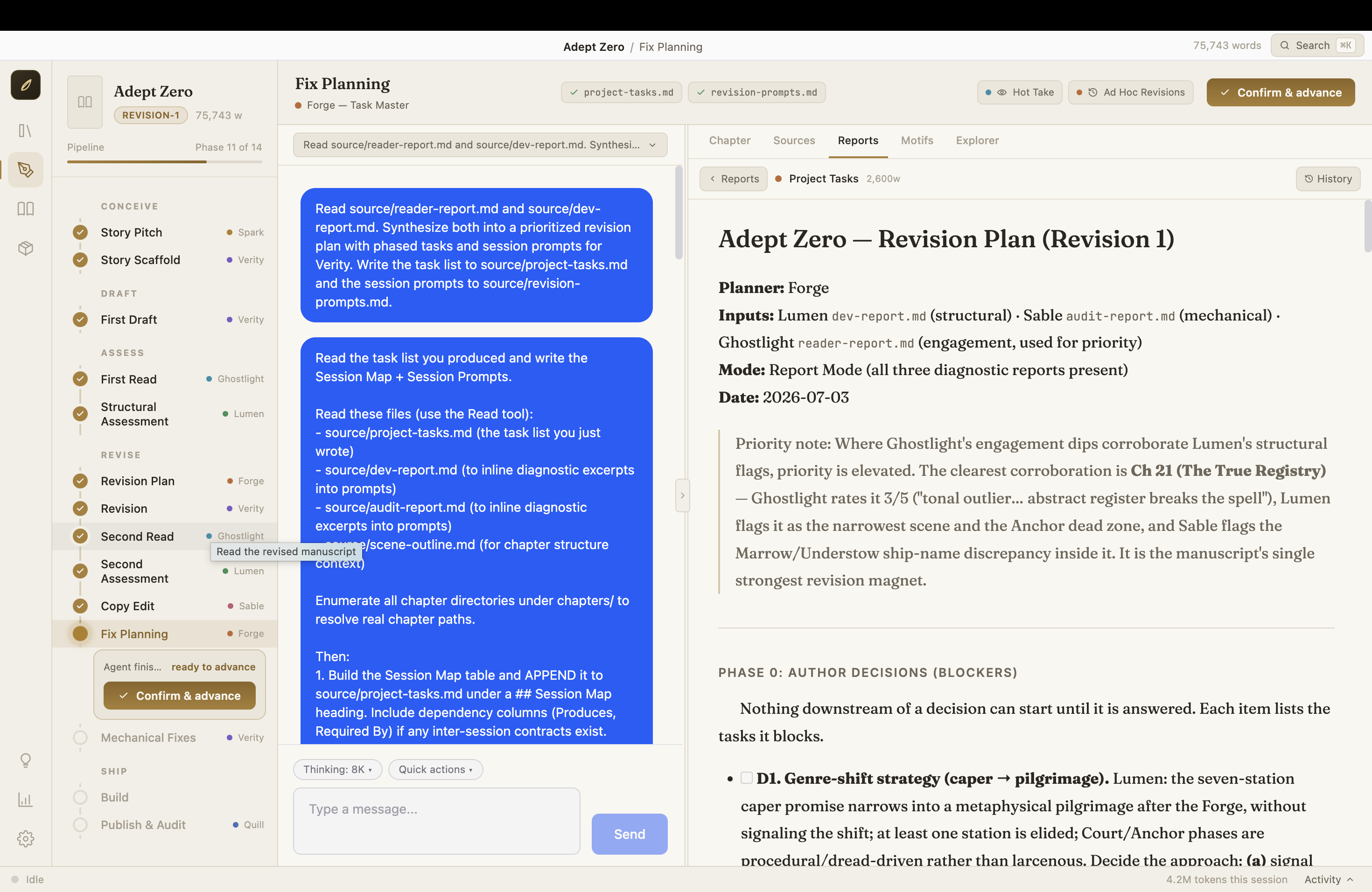
Your book moves through 14 phases, each with a clear deliverable. Nothing advances until you confirm it — the app never runs ahead of you.
| Stage | Phases | What you end up with |
|---|---|---|
| Conceive | Story Pitch → Story Scaffold | A pitch document, scene outline, and story bible |
| Draft | First Draft | Every chapter drafted in your voice (one click can auto-draft the whole book, chapter by chapter, with quality checks) |
| Assess | First Read → Structural Assessment | A reader report and a developmental edit |
| Revise | Revision Plan → Revision → Second Read → Second Assessment | A prioritized task list, the revision executed session by session with your approval, then fresh reads to confirm it worked |
| Polish | Copy Edit → Fix Planning → Mechanical Fixes | A line-level audit and the fixes applied |
| Ship | Build → Publish & Audit | Your manuscript compiled to Markdown, DOCX, and EPUB, plus publication metadata |
What Else Is In The Box
- Pitch Room — brainstorm freely with Spark; keep, shelve, or discard ideas before they become books
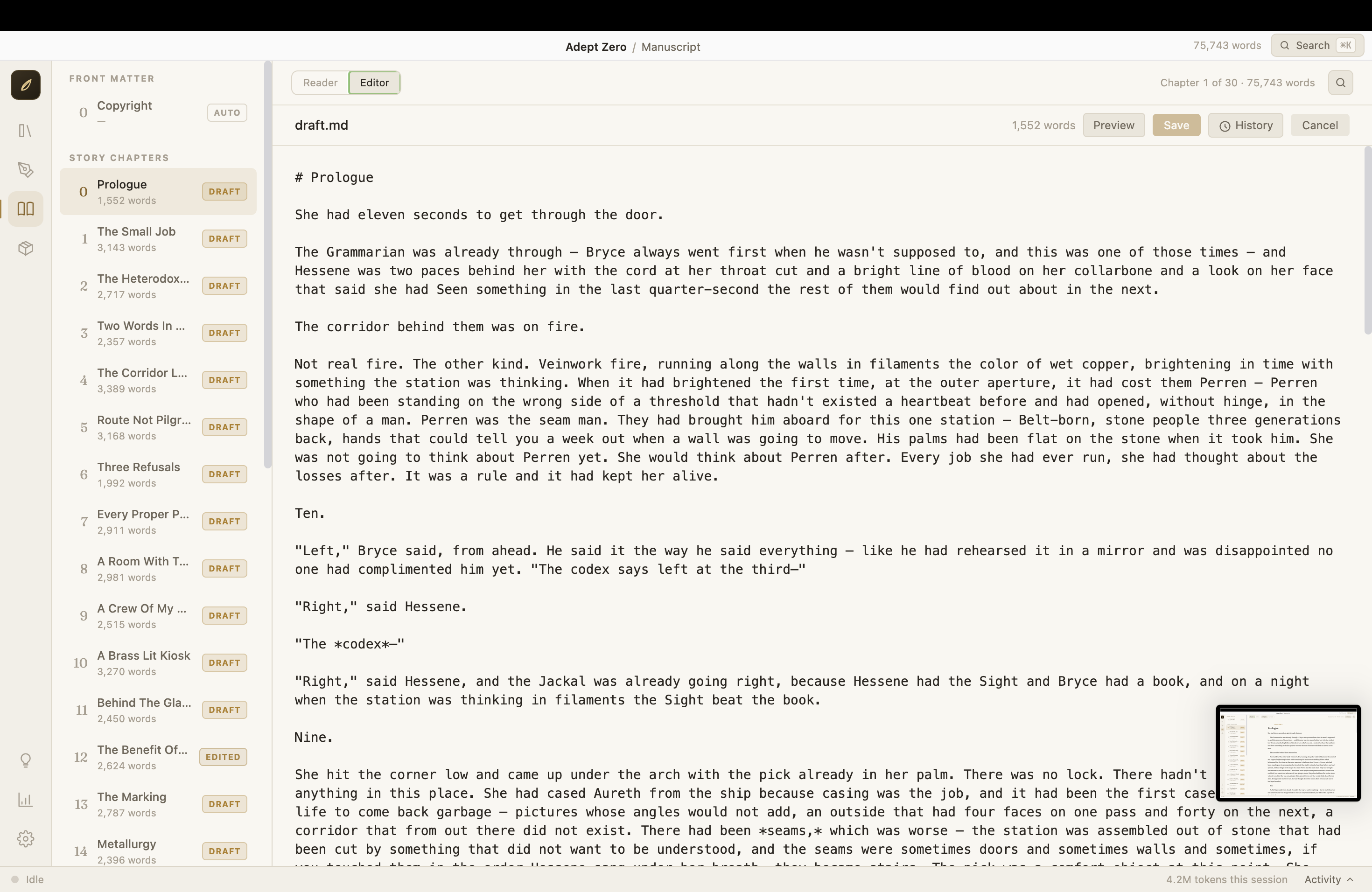
- Write in it yourself — the chapter editor is yours too; your edits get an EDITED badge, you can see a diff of exactly what you changed, and Verity is shown your edits so revisions respect them
- Import your manuscript — bring an existing book (Word or Markdown) in; chapters are detected automatically, and the AI can backfill the outline, bible, and voice profile from your text
- Version history everywhere — every change to every file is snapshotted; view any two versions side by side and restore with one click
- Hot Take — a one-click gut-reaction read of your whole manuscript
- Motif Ledger — tracks recurring imagery, foreshadowing, and overused phrases across the book
- Series support — group books into a series with a shared series bible for cross-volume continuity
- Statistics — word-count growth, usage, and cost estimates in friendly charts
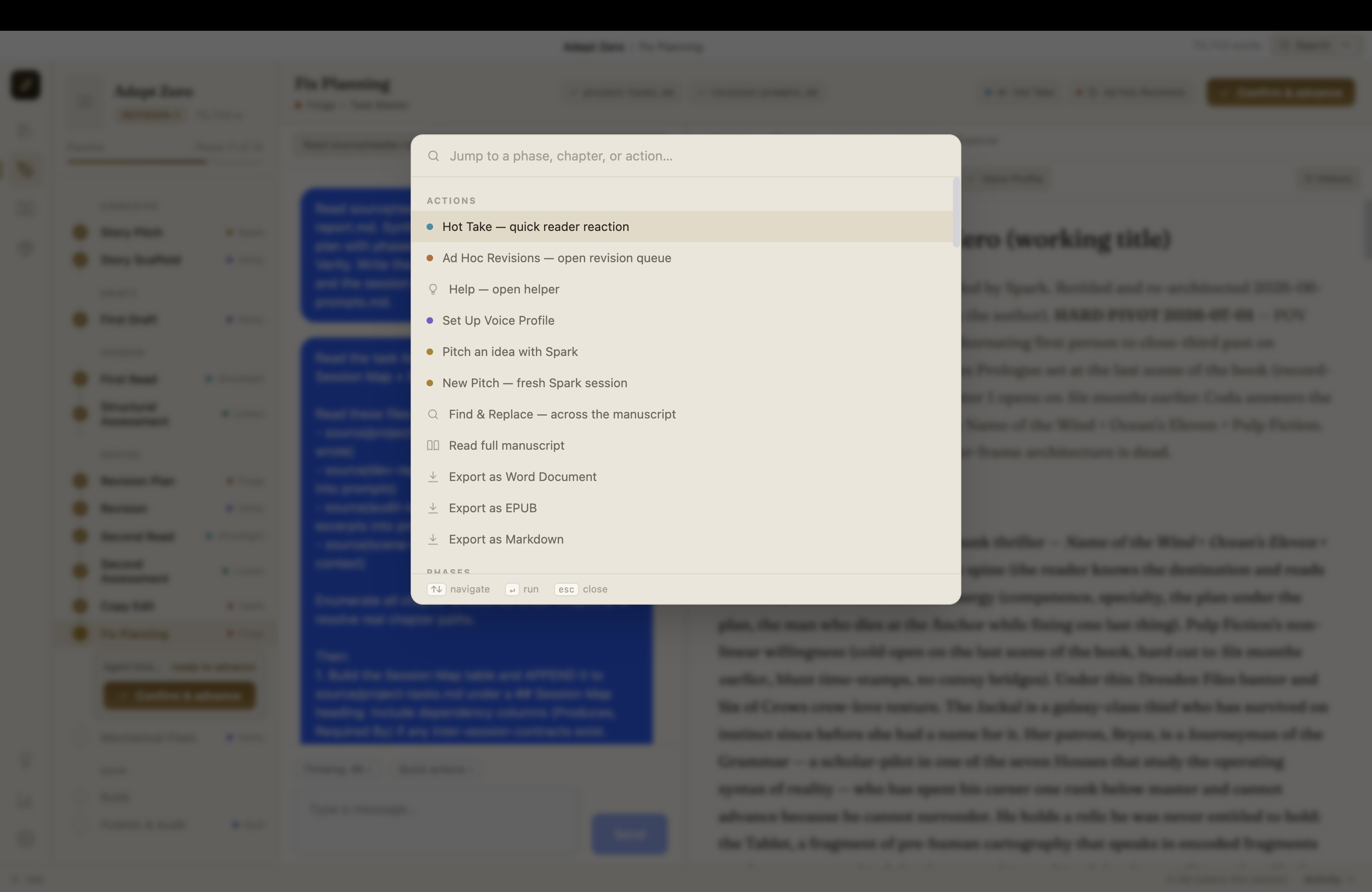
- Command palette — press ⌘K (Ctrl+K) and jump to any chapter, phase, or action
- Works offline-ish — with Ollama, the entire pipeline runs on your machine with no internet at all
(The full feature reference, with all the machinery underneath, lives in the technical guide.)
Screenshots
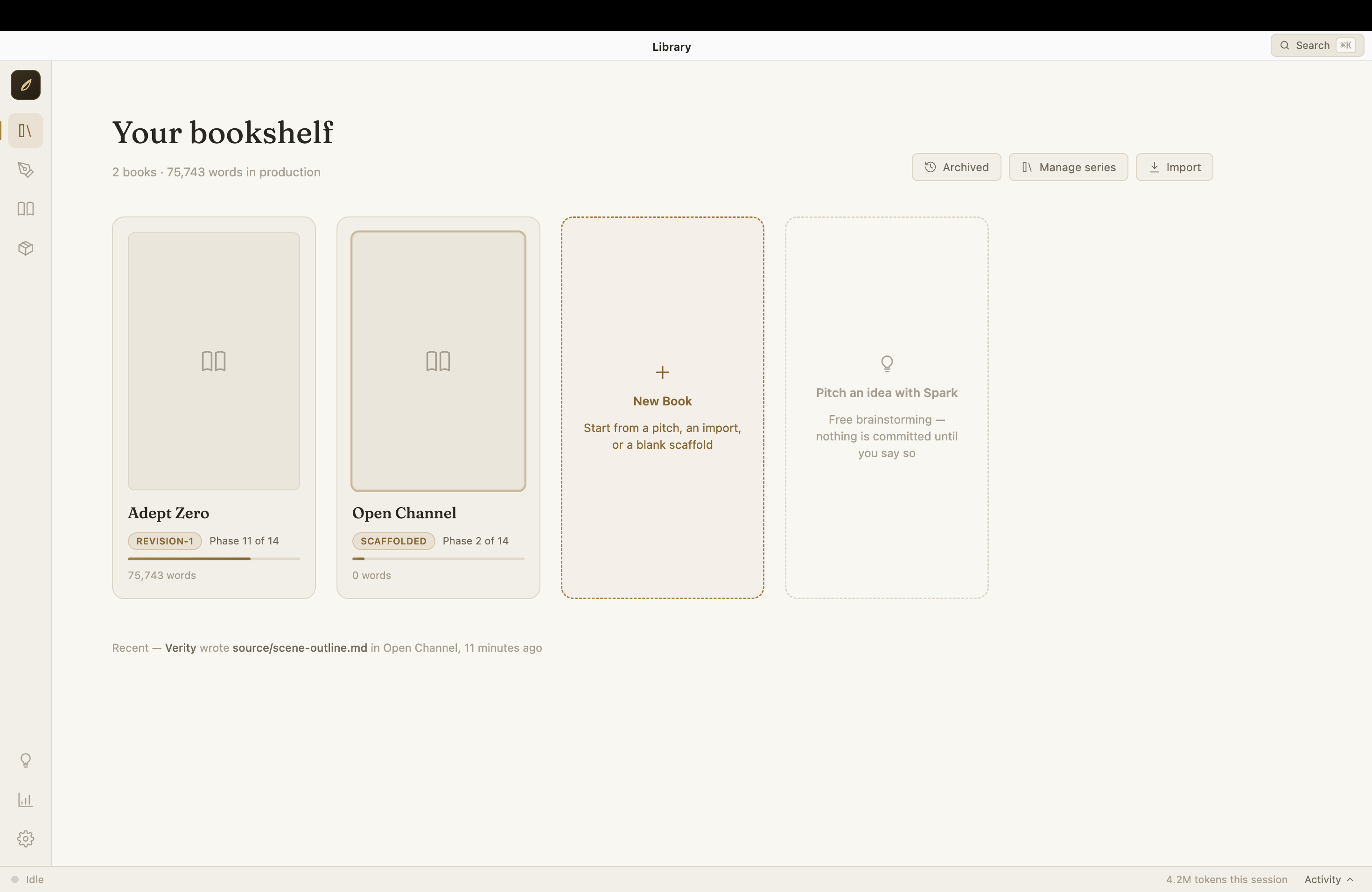 |
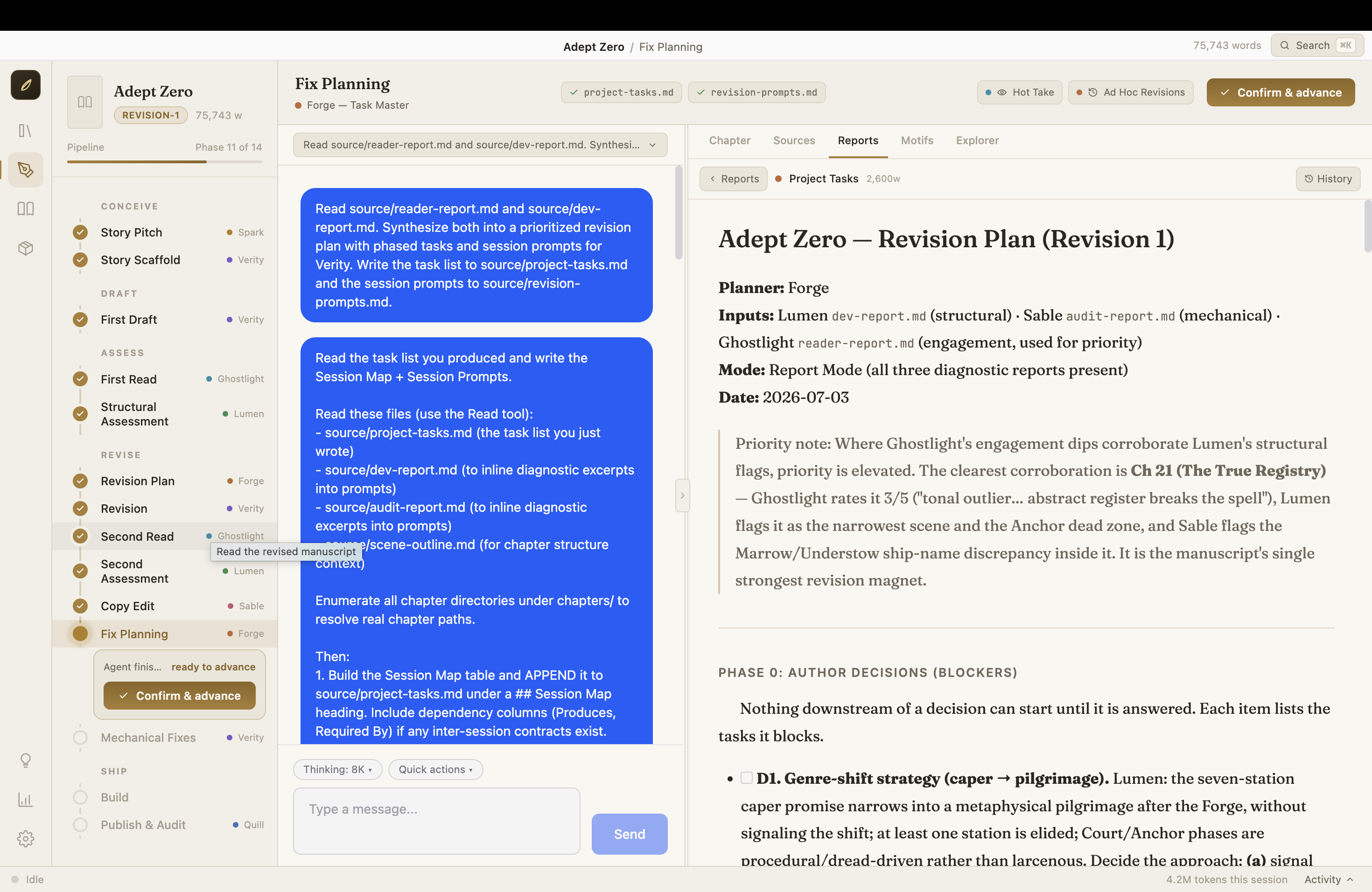 |
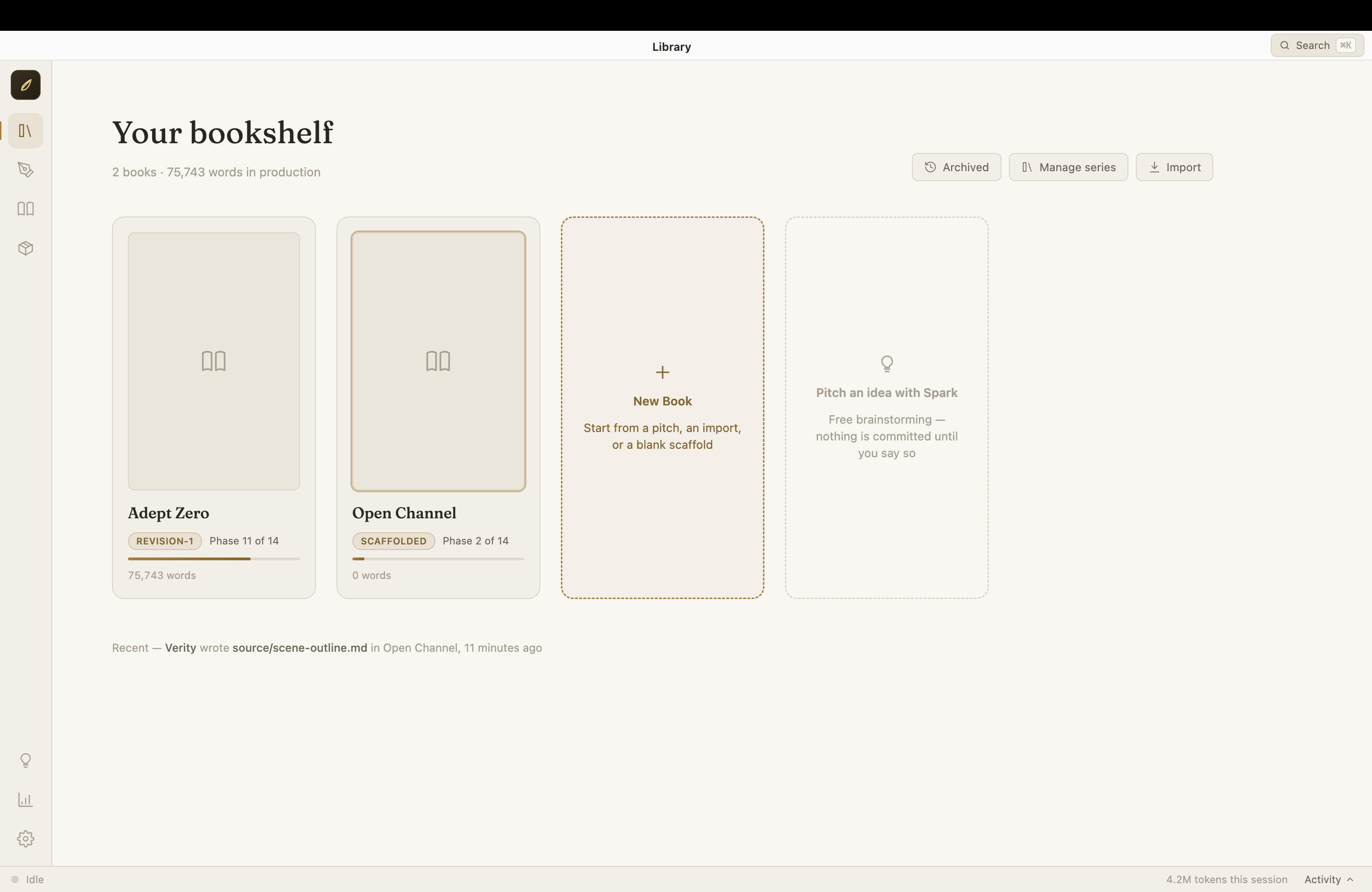
| Library — your bookshelf, with progress per book | Workspace — the pipeline on the left, your editor in chat |
 |
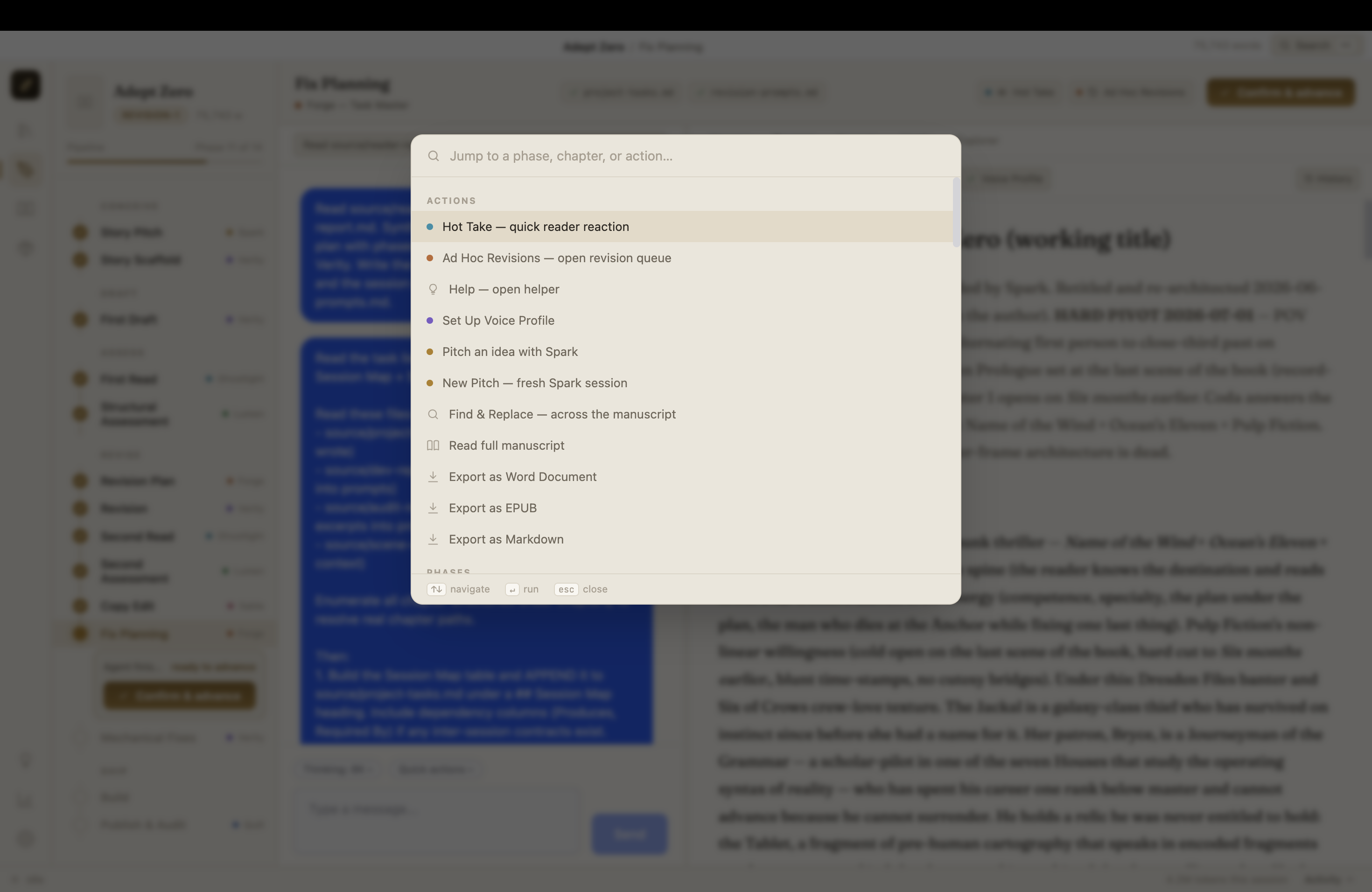 |
| Editing Verity's draft yourself — every change tracked | Command palette — jump anywhere with ⌘K |
 |
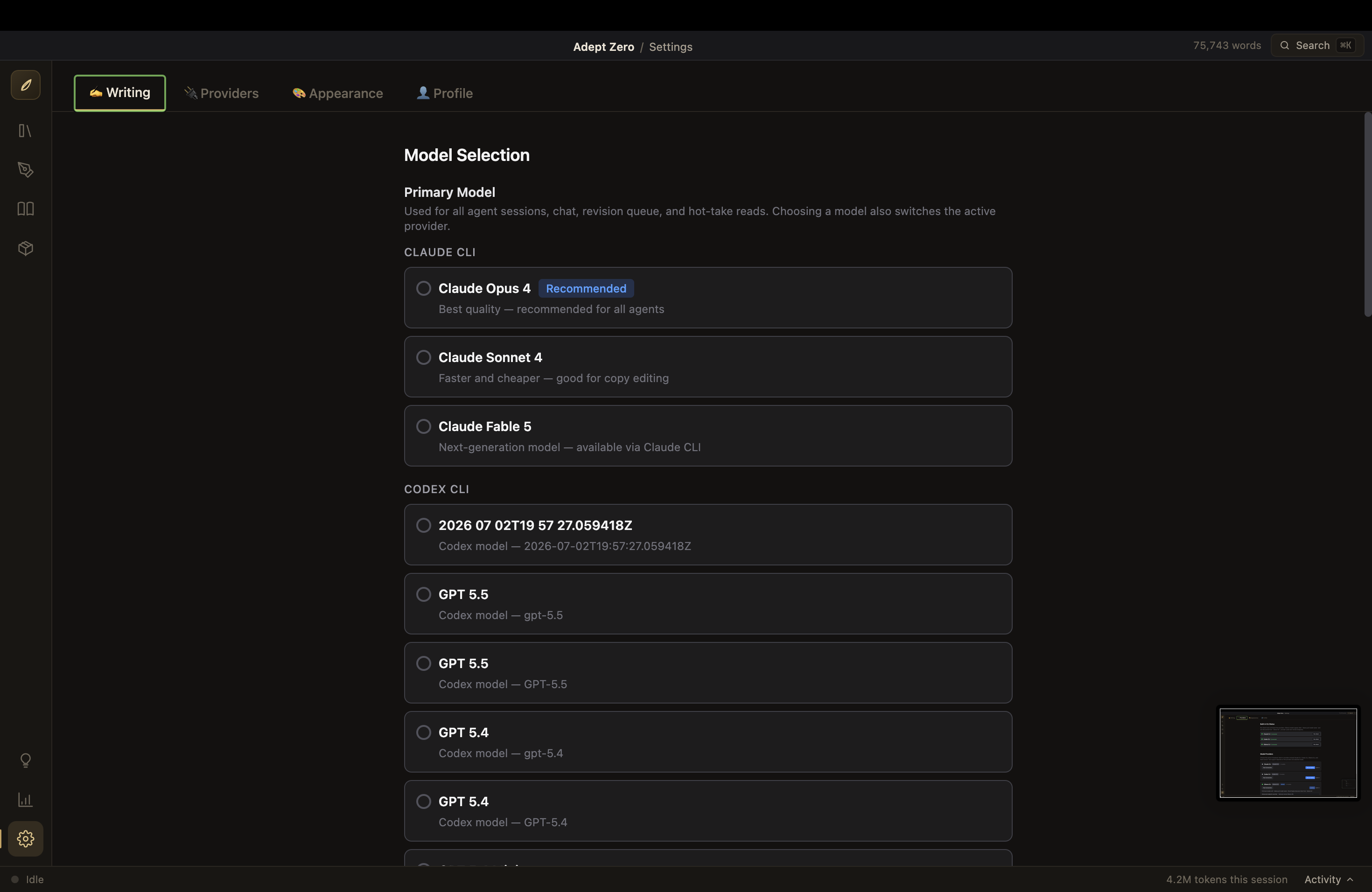 |
| Connect Claude, Codex, or Ollama | Pick any model from any connected AI |
Common Questions
Do I need to pay for AI?
If you use Claude (recommended for prose quality), you need a Claude subscription — Novel Engine drives the same Claude Code CLI your subscription already covers. If you use Ollama, it's completely free and runs on your own hardware.
Where is my book stored?
As plain Markdown files in a folder on your computer (shown in Settings). No proprietary format, no lock-in — you can open your chapters in any text editor, forever.
Is my writing private?
Novel Engine has no cloud, no accounts, and no telemetry. Your text is sent only to the AI backend you connected — and if that's Ollama, it never leaves your machine at all.
Will using this affect my copyright?
No. See Your Words Are Yours above — the open-source license covers the app's code, not your writing.
Something broke / I'm confused.
Click the Help bubble in the app, open an issue, or email john.paul.ruf@gmail.com.
🧪 Testers Needed!
The installers are early builds and have not been tested on all platforms — I develop on macOS, so the Windows and Linux installers especially need eyes on them. If you try one, please report what happens — perfect, crash, or anything in between: issues or john.paul.ruf@gmail.com.
For Developers
All the engineering detail lives out of the way:
- TECHNICAL.md — architecture, tech stack, project structure, AI backend internals, database schema, building installers
- docs/architecture/ — layer-by-layer architecture documentation
- CHANGELOG.md and RELEASE_NOTES.md — what's changed
Novel Engine is built with Electron, React, and TypeScript in a clean five-layer architecture, and it's open source under AGPL-3.0 — contributions and bug reports welcome.
License
The application code is licensed under AGPL-3.0-only.
Reminder: the license covers the app's source code. Everything you write with the app is yours alone — manuscripts, outlines, exports, all of it. See Your Words Are Yours.
Dedication
To everyone who has an idea for a good book but doesn't know how to craft it, this is for you...
For everyone else who may be impacted by this work, or whose sensibilities I have offended.
I am so sorry. I just wanted to write my memoir and found out it is easier to write fiction than fact. This is the result.
Download
Click download now to get access to the following files: